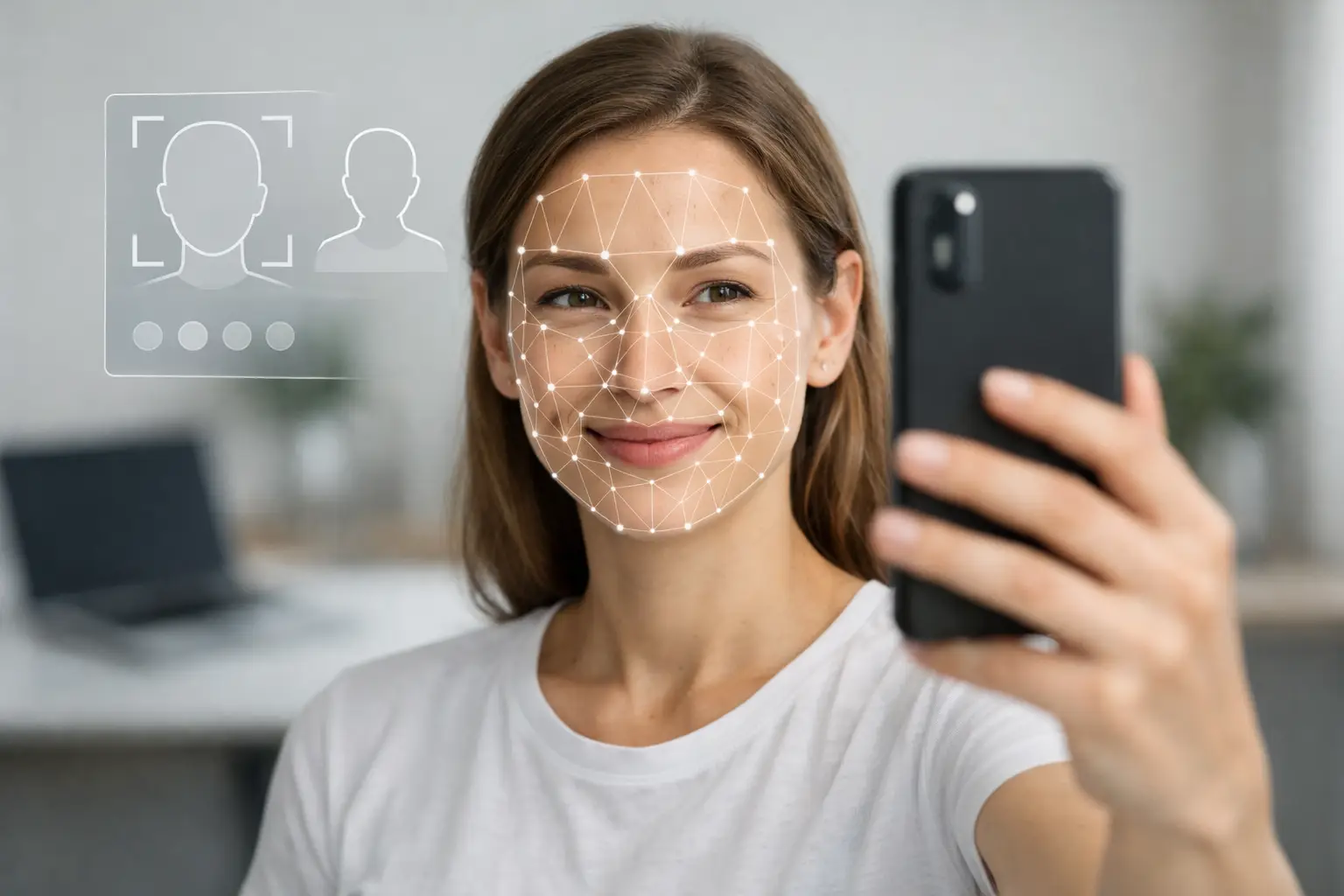
A face scan can only read what your photo gives it. If you want strong results, knowing how to upload selfie for face scan matters more than most people think. The difference between a clean personality report and a weak read often starts with one thing - the image you choose.
This is where many users get tripped up. They assume any recent selfie will do, then wonder why the scan struggles with facial structure, symmetry, or expression mapping. The upload step is not just admin. It is the input layer for the entire analysis engine.
How to upload selfie for face scan without hurting accuracy
The best selfie for a face scan is clear, front-facing, and neutral. That sounds simple, but small mistakes change the quality of the scan fast. Heavy filters, extreme angles, low light, sunglasses, and crowded backgrounds all create noise that can interfere with detection.
Start with a photo where your full face is visible from forehead to chin. Your eyes should be open and easy to see. Keep your head mostly straight, not tilted hard to one side. If the system is built to read facial proportions and structural cues, it needs a direct view rather than a stylized one.
Expression matters too. A slight natural expression is usually fine, but exaggerated smiling, puckering, or dramatic eyebrow raises can distort key landmarks. If the goal is personality and trait analysis, a calm and natural look gives the engine a cleaner baseline.
Lighting is another major factor. Bright, even lighting is better than dim indoor light or harsh overhead glare. Window light works well because it reveals facial detail without strong shadows. If one side of your face is washed out and the other side is dark, the scan may still process, but the output may be less consistent.
The ideal selfie setup before you upload
You do not need studio gear. You need control. Stand in front of a plain background, face the camera directly, and hold the phone at eye level. That one adjustment removes the most common problems: upward chin distortion, forehead compression, and asymmetrical framing.
Use the rear camera if possible, since it often captures sharper detail than the front camera. If that feels inconvenient, the front camera is still fine as long as the image is crisp. What matters most is that the face is in focus and not softened by beauty mode or automatic retouching.
If your phone has portrait mode, turn it off unless the platform specifically supports it. Portrait effects can blur the edges of your jawline, hairline, and ears. For a scan engine working from facial geometry, those edges are useful data, not visual clutter.
Take a few versions before uploading. In most cases, the best photo is the one that looks the least edited, least dramatic, and most balanced. Professionals using scan tools for hiring, team dynamics, or compatibility checks often make the same mistake as casual users - they choose the most flattering image instead of the most readable one.
What kind of selfie usually works best
A good upload usually has five traits: clear resolution, straight-on framing, natural expression, even light, and no visual obstructions. If one of those is missing, the scan may still work, but quality can drop.
Resolution matters because blurry images hide facial landmarks. Straight-on framing matters because side angles compress one half of the face and stretch the other. Natural expression matters because strong emotion changes the visual structure the system is trying to map. Even light matters because shadows can mimic lines, hollows, and asymmetry. And no obstructions means no hats, tinted glasses, hands near the face, or phone cases blocking part of the jaw.
Facial hair is usually fine if it is your normal appearance, but make sure it is visible rather than hidden in shadow. Makeup is also usually fine, but very heavy contouring or face-smoothing filters can alter the scan input. The rule is simple: present the face as it really appears.
How to upload selfie for face scan on your phone
Most users complete the process on mobile, so the fastest workflow is also the safest one. First, choose your image from your camera roll instead of snapping under pressure in poor light. A few extra seconds of selection usually produce a stronger scan.
Before you upload, zoom in on the image. If your skin texture, eyes, and facial outline look soft or grainy, pick another one. If your face takes up only a small part of the frame, crop it slightly so the system can focus on the subject, not the room behind you.
Then upload the file in its original quality if the platform allows it. Screenshots, social media downloads, and compressed messaging app images often lose detail. That may not matter for casual sharing, but it matters for AI analysis. Clean input gives the engine more to work with.
If you are using a guided platform like SomaScan.ai, the upload flow is designed to keep the process quick, but speed should not replace image quality. The strongest reports start with disciplined photo selection, not random convenience.
Common upload mistakes that weaken the scan
The biggest mistake is using a selfie made for social media rather than analysis. Social photos are built for style. Face scans are built for clarity. Those goals are not always the same.
The second mistake is assuming newer means better. A recent selfie with a filter is worse than an older natural photo with sharp detail. Another common issue is overcropping. If the forehead or chin gets cut off, the engine may lose structural context.
People also upload group photos and expect the system to isolate the right face perfectly every time. Sometimes it can. Sometimes it picks up competing faces or background distractions. If you want clean results, use a solo photo.
Low-light mirror selfies are another weak choice. They often combine grain, glare, tilt, and partial obstruction from the phone itself. They may look dramatic, but they are poor scan material.
Does a better selfie really change the report?
Yes, but with nuance. A strong engine can still produce output from an average image, and not every imperfect photo ruins the result. Still, better inputs improve consistency, especially when the platform is mapping facial zones, proportions, and expression signals into a structured report.
Think of it this way: the scan is only as professional as the data you feed it. If you want a report that feels polished, PDF-ready, and credible enough to share with a coach, manager, or partner, the upload deserves more attention than a random camera roll pick.
This matters even more for users treating face analysis as decision support. If you are checking compatibility, team fit, communication style, or emotional tendencies, the quality bar should be higher. A weak image can lead to a weaker read, and that creates avoidable uncertainty.
Quick answers before you upload
Can I use a selfie with glasses?
Only if the glasses do not hide your eyes or create strong glare. Clear lenses in soft light may work. Dark lenses or reflection-heavy glasses are a bad choice.
Can I smile in the photo?
A light, natural smile is usually fine. A big grin that changes cheek shape, eye shape, and jaw tension is less ideal.
Should I use a filtered selfie?
No. Beauty filters, skin smoothing, and facial reshaping tools can distort the features the scan needs to read.
Is a passport-style photo better than a casual selfie?
Often, yes. If it is clear, front-facing, and well lit, a passport-style image usually performs better than a stylized selfie.
What if I only have an older photo?
An older clear photo is often better than a recent poor-quality one, as long as it still reflects your current facial appearance reasonably well.
The smartest move is simple: choose the clearest, most natural photo you have, then upload with intention. A face scan is not asking for your best angle. It is asking for your best data.